 Argus Pip
Your channels, up close
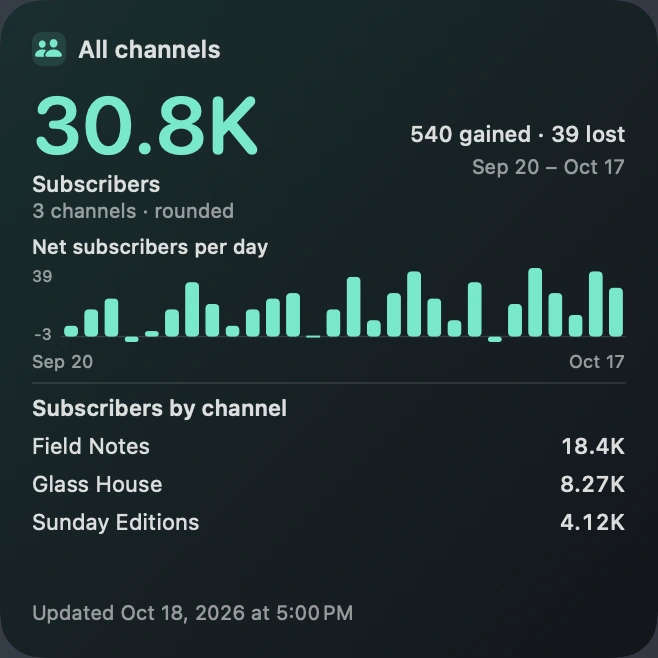
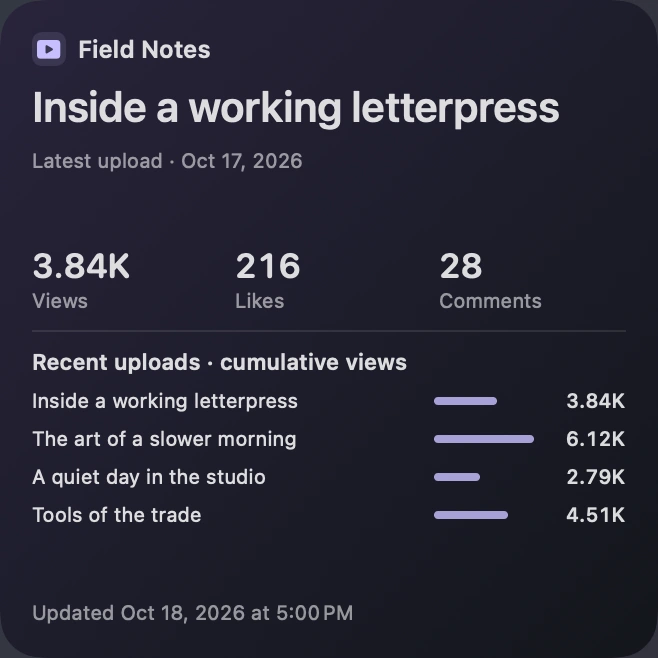
See subscribers and lifetime views for each channel. Sort up to 25 recent uploads by views, likes or comments. Connect private Studio analytics for watch time, subscriber changes, traffic sources and viewer countries.
YouTube Studio App Store Connect
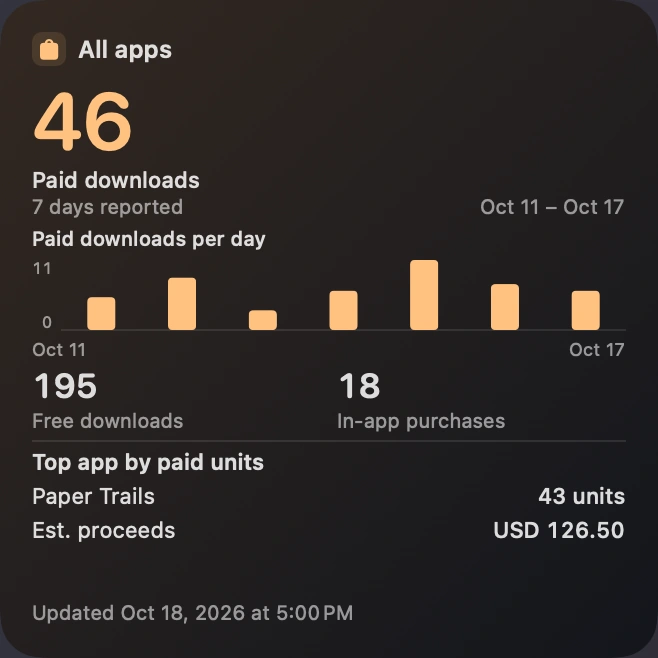
Check how your latest upload is doing and which apps are selling. Argus Pip puts your YouTube and App Store reports on your desktop.
Free and open source macOS & Windows

Interactive demo
Choose a sample channel, inspect its daily views, or switch to the App Store to compare sales.
See subscribers and lifetime views for each channel. Sort up to 25 recent uploads by views, likes or comments. Connect private Studio analytics for watch time, subscriber changes, traffic sources and viewer countries.
Rank paid downloads, free downloads, in-app purchases or estimated proceeds. Compare 1, 7, 30 or 90 reporting days with the previous period, and choose the currency you want to see.
Native Mac widgets
Add a widget for the number you check most. Pin several for different channels, or click one to open its place in the app.
On your computer
Keep the app in the Mac menu bar or Windows tray. While online, it checks public YouTube data every 30 minutes and private Studio reports every six hours.
Export a PDF for one channel or your selected sales period and currency. Keep a copy of this month’s numbers or send a snapshot to a collaborator.
Your computer fetches reports directly from Google and Apple. Your operating system protects saved credentials, and reports stay in your user profile.
Mac & Windows
Choose YouTube, App Store Connect, or both. Add the channels you follow and choose Midnight, Aurora or Daylight for your desktop.
View GitHub downloads Step-by-step connection guideIn the release assets, choose the mac-arm64.dmg for an Apple M-series chip or mac-x64.dmg for an Intel Mac. Open it, drag Argus Pip to Applications, and launch it there.
Choose the win-x64.exe release asset for a 64-bit Intel or AMD computer. Run the installer, then open Argus Pip from the Start menu.
Add a Google API key for public channel stats. Authorize each channel in your browser for private Studio reports. Apple sales use your team’s reporting key and vendor number.
Follow the credential guide ↗Hi, I’m Pondd, the creator of Argus Pip. Thanks for exploring my dashboard.
Explore my collection of apps, websites and creative projects below.
Tap the character or press Enter to change the dance.